
Navratri AI Photo Editing Prompts 2026 | 4 Viral Saree & Festive Looks
Navratri AI Photo Editing Prompts 2026 | 4 Viral Saree & Festive Looks
Navratri AI Photo Editing Prompts 2026 | 4 Viral Saree & Festive Looks
Master the art of creating hyper-realistic 3-photo vertical collages, traditional Bengali silk sarees, and rainy Garba night portraits using cutting-edge computational photography prompts.
The Evolution of Festive Portraiture in Generative AI
The festive season in India—spanning the vibrant nine nights of Navratri to the grandeur of Durga Puja—has always been a breathtaking showcase of color, cultural couture, and spiritual energy. In 2026, photographers, digital creators, and festive enthusiasts are moving beyond static single-frame portraits. By leveraging our specialized Navratri AI Photo Editing Prompts, anyone can now synthesize magazine-grade, three-photo asymmetrical editorial collages that look like they were photographed with prime optical glass during an authentic festive evening.
A common hurdle with generative engines like Bing Image Creator (DALL-E 3), Midjourney v6, and ChatGPT-4o is the dreaded “plastic face” effect or facial identity shifting between different angles. The four curated Navratri AI Photo Editing Prompts featured in this masterclass solve these challenges through explicit mathematical camera parameters, strict facial identity preservation tokens, physical surface scattering, and multi-frame layout structuring.
Whether you want to showcase an intricate royal blue Banarasi silk saree against a glowing Durga Puja pandal or capture a spontaneous monsoon Garba dance under warm streetlamps, these prompts provide the exact syntax to produce ultra-photorealistic results. Explore our comprehensive repository of AI Photo Prompts and pre-tested Creative Templates to expand your creative portfolio.
Prompt 1: Durga Puja Bengali Saree Asymmetrical 3-Photo Collage
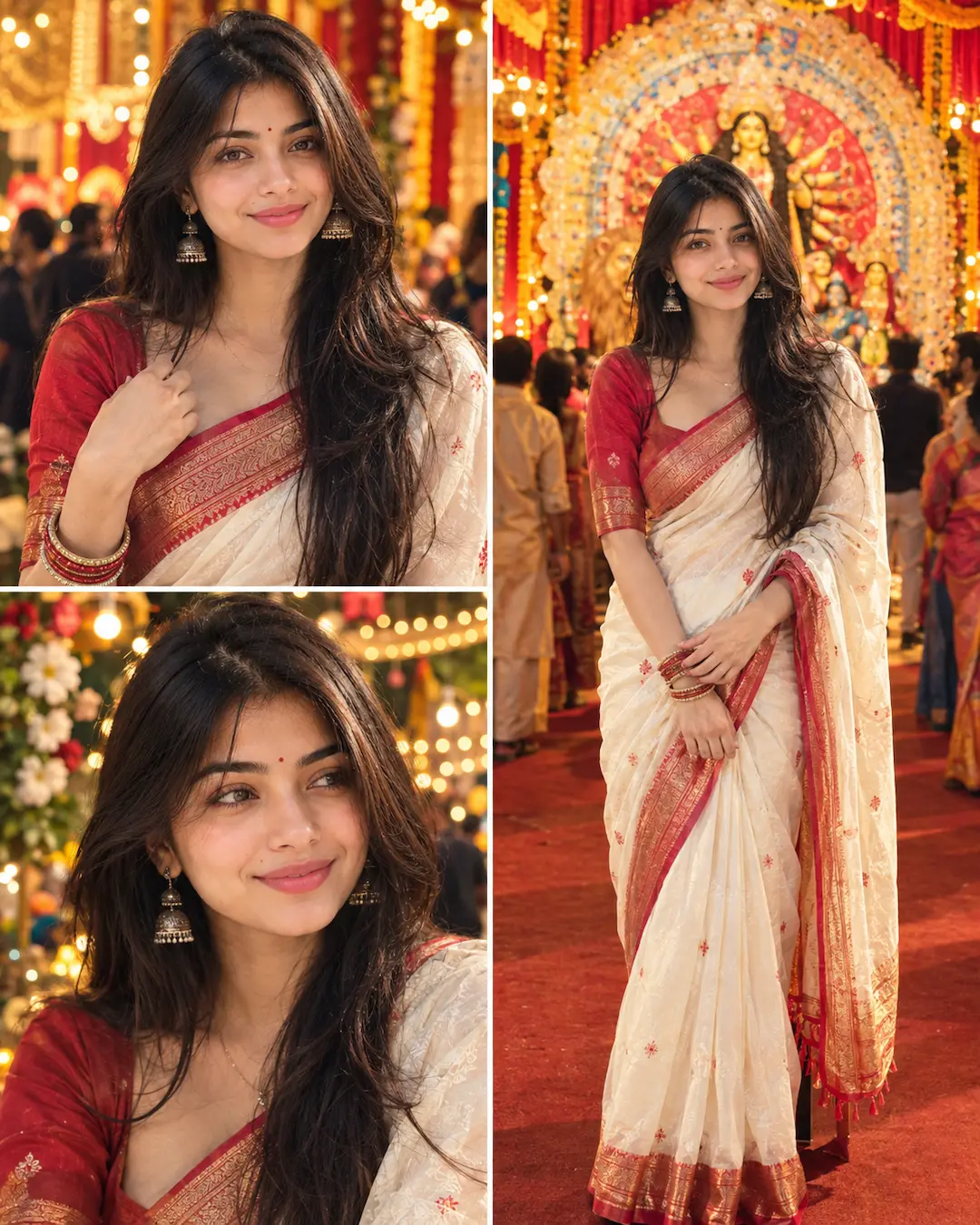
Artistic Analysis: This first prompt exemplifies the true power of multi-camera narrative framing. Instead of relying on a single static shot, the asymmetrical grid contrasts a candid close-up and a medium hand-gesture portrait against an expansive full-body pandal architectural hero shot. Notice how the ambient lighting balances warm golden jhalar bulbs with subtle cool rim lighting, creating separation between the traditional Bengali red-and-white saree and the distant festive crowds.
Prompt 2: Rainy-Night Navratri Garba Chaniya Choli 3-Photo Collage
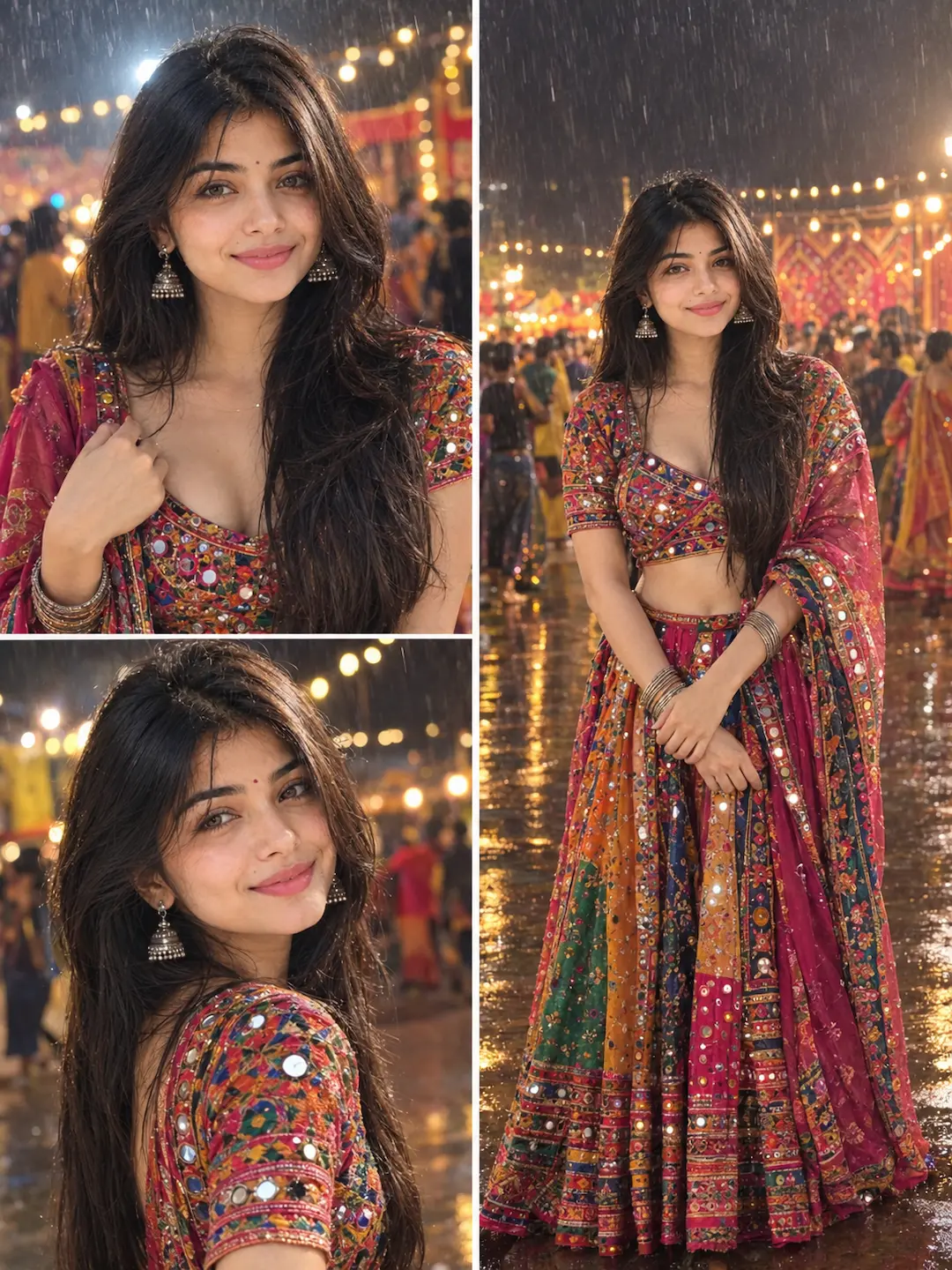
Artistic Analysis: Capturing Navratri Garba during a light drizzle adds an electrifying layer of romance and cinematic realism. In this composition, water droplets interact naturally with the embroidered mirror-work (abhala), scattering pinpoint highlights across the subject’s attire. The ground reflections act as a natural secondary key light, illuminating the lower hem of the flared chaniya choli and preventing muddy shadows.
Prompt 3: Royal Blue Banarasi Silk Saree Durga Puja Collage
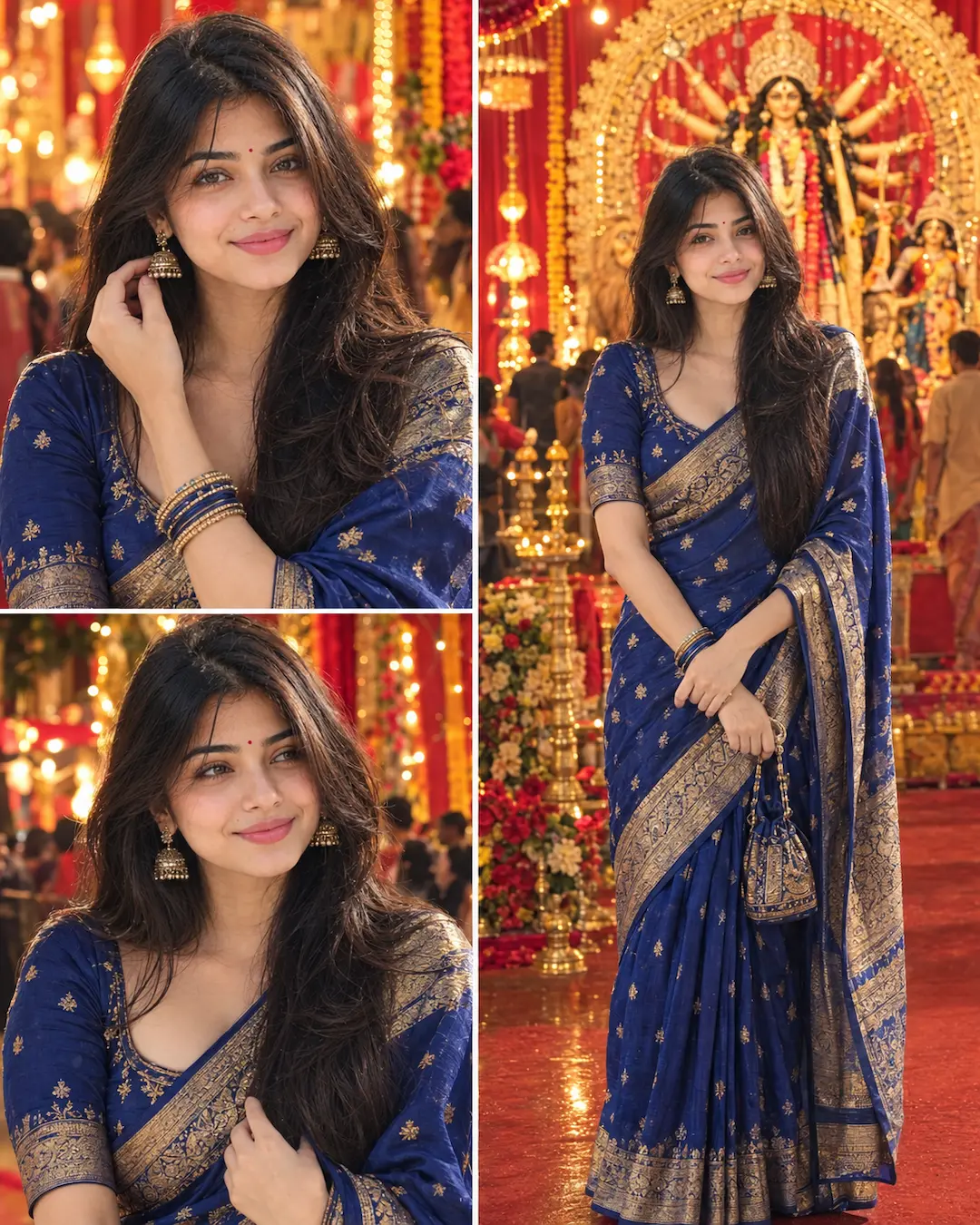
Artistic Analysis: Deep royal blue is one of the most flattering color palettes for Indian festival photography because it forms a complementary color scheme with golden illumination. When utilizing our Navratri AI Photo Editing Prompts, specifying the microscopic weave of Banarasi silk ensures the neural network does not render the fabric as flat synthetic polyester. The golden zari threads catch oblique pandal lighting with realistic metallic sheen.
Prompt 4: High-Fashion Magazine Editorial Durga Puja 3-Frame Collage
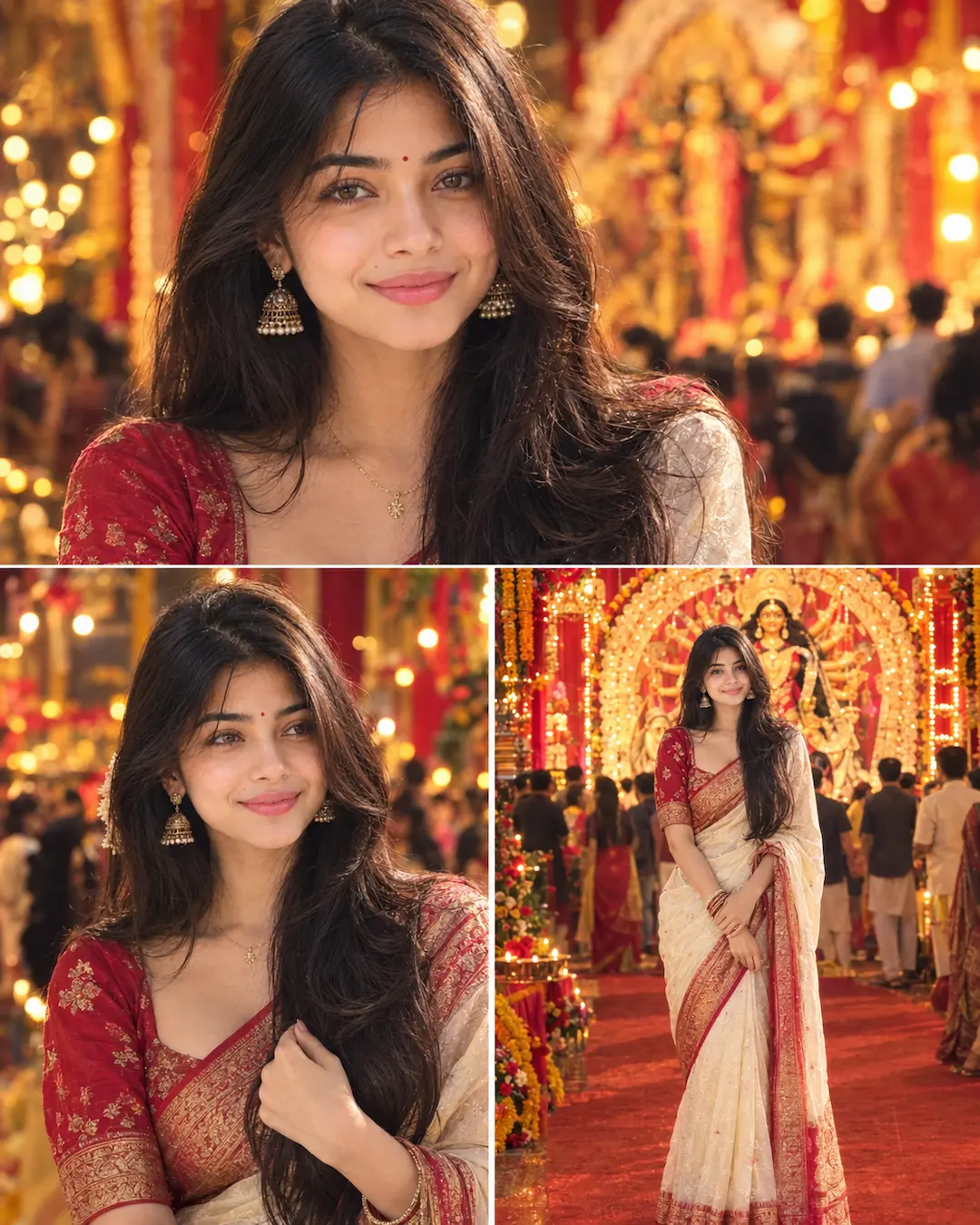
Artistic Analysis: Unlike traditional vertical collages where frames are stacked symmetrically, Prompt 4 introduces a cinematic editorial spread. The top frame provides an arresting close portrait with crisp eye catchlights and authentic skin pores, establishing intimate eye contact. The bottom split balances an emotional candid moment on the left with an opulent architectural pandal full-body shot on the right, mimicking a high-end festive issue of Harper’s Bazaar or Vogue India.
How to Generate These Looks Across Top AI Engines
To achieve flawless results with our Navratri AI Photo Editing Prompts, you must configure your chosen platform for reference image conditioning. Here is how the four most popular AI image engines handle multi-frame collage prompts:
| Platform | Reference Image Upload | Recommended Engine | Collage Handling Strength |
|---|---|---|---|
| ChatGPT Plus | Upload direct portrait via paperclip icon | ChatGPT-4o Vision | Exceptional prompt comprehension and multi-pose coherence. |
| Google Gemini | Upload reference headshot directly | Gemini 2.0 Pro / Ultra | Natural ambient lighting and realistic skin undertones. |
| Bing Image Creator | Paste prompt directly into search bar | DALL-E 3 Integrated | Vibrant festival colors and intricate pandal architecture. |
| Midjourney | Use --cref [URL] --cw 85 command |
Midjourney v6.1 | Unrivaled fabric texture, fine hair strands, and cinematic bokeh. |
5 Golden Rules for Identity Lock & Distortion-Free Hands
When running complex Navratri AI Photo Editing Prompts that generate multiple hands and figures in a single frame, adhere to these five operational guidelines:
- Frontal, High-Resolution Reference Photo: Always upload a clean, unedited reference photo with neutral lighting and sharp eye focus. Avoid photos taken with heavy Snapchat or Instagram beautification filters.
- Never Omit the Negative Token Cluster: Keep phrases like “no extra fingers, no distorted hands, no duplicate jewelry, no cartoon smoothing” firmly embedded in the prompt structure.
- Respect Natural Aspect Ratios: Standard Instagram vertical formats (4:5 or 3:4) prevent the AI from compressing the subject vertically, which often results in disproportionate limbs.
- Allow Micro-Imperfections in Skin: Prompts that include “natural skin pores, fine peach fuzz, realistic specular highlight” prevent the plastic AI wax-figure appearance that triggers rejection by human viewers.
- Consistent Lighting Temperature: If your subject is bathed in 2800K warm incandescent festival light, ensure the prompt instructs the background to reflect matching ambient tones to avoid artificial Photoshop cutout effects.
Frequently Asked Questions (FAQs)
--cref parameter). In your prompt, explicitly specify “use the uploaded image as the ONLY facial identity source without beautification or face slimming”. The neural network will map your unique facial bone structure, jawline, and eye spacing across all three sub-frames.